

Early Education Website: Complete Guide for 2026
Your online presence serves as the first impression for families searching for quality childcare options. In 2026, an effective early education website acts as your digital front door, welcoming prospective parents, showcasing your nurturing environment, and communicating the unique value you offer to young learners. For home-based childcare providers, a well-designed website can level the playing field with larger commercial centers while highlighting the personalized attention and family atmosphere that makes your setting special.
Understanding What Makes an Early Education Website Effective
An early education website needs to serve multiple audiences simultaneously. Parents are searching for safety, curriculum information, and evidence of quality care. Children who might visit the site need engaging visuals that excite them about learning. Regulatory bodies and licensing agencies may review your site to verify compliance and professionalism.
The most successful websites balance these competing needs through strategic design choices:
- Clear navigation that helps parents find essential information within two clicks
- Mobile-responsive layouts that work seamlessly on smartphones and tablets
- High-quality images showing real children engaged in authentic learning experiences
- Transparent pricing and enrollment information that builds trust immediately
- Contact forms and calls-to-action positioned throughout the browsing journey
Research shows that 75% of users judge a business's credibility based on website design. For home childcare providers, this means your digital presence directly influences whether families schedule a tour or keep searching. Creating accessible websites ensures you reach the widest possible audience, including families with diverse needs and abilities.
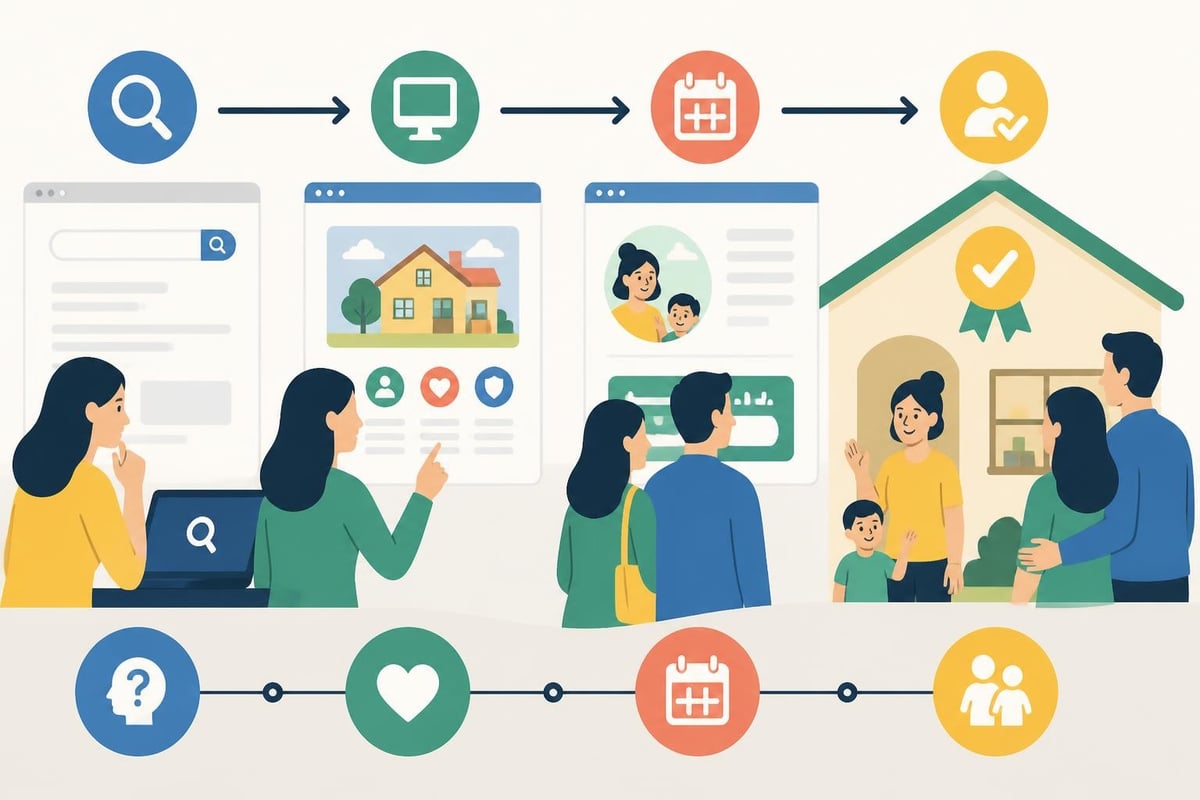
Essential Pages Every Provider Needs
Your early education website should include specific pages that address parent concerns and questions. The homepage must immediately communicate your unique approach while guiding visitors to deeper content. An about page tells your story, credentials, and philosophy, helping families connect with your passion for early learning.
| Page Type | Primary Purpose | Key Elements |
|---|---|---|
| Homepage | First impression and navigation hub | Welcome message, core values, quick links, testimonials |
| Programs/Services | Detailed curriculum information | Age groups, daily schedules, learning outcomes, activities |
| Enrollment | Clear path to joining | Application process, tuition, availability, requirements |
| About | Build trust and connection | Provider background, certifications, philosophy, facility details |
| Contact | Enable easy communication | Form, phone, email, address, hours, map integration |
A dedicated infant care programs page demonstrates specialized expertise that reassures parents of very young children. Similarly, highlighting specific services helps families understand whether you meet their unique needs. Don't forget to include an FAQ section that proactively answers common questions about potty training policies, sick child procedures, meal provision, and daily communication methods.
Building Trust Through Visual Storytelling
Parents want to see where their children will spend their days. Your early education website should feature authentic photography that captures the warmth, safety, and engagement of your environment. Avoid stock photos of children who clearly aren't in your program. Instead, invest in professional photos or high-quality smartphone images that show real moments of learning and play.
Visual elements that convert visitors into enrolled families:
- Photos of your actual learning spaces with age-appropriate materials visible
- Images showing caregiver-child interactions that demonstrate warmth and engagement
- Documentation of activities like outdoor play, art projects, and group time
- Shots of meals and snacks that showcase nutritious food preparation
- Seasonal activities and celebrations that highlight your community
A comprehensive photo gallery allows parents to explore your environment at their own pace. Update these images regularly to reflect current activities and seasonal changes. Include captions that explain what children are learning during each activity, connecting fun moments to developmental milestones.
Many providers worry about privacy when posting child photos online. Establish clear photo permission policies with enrolled families, and consider showing activities from angles that focus on hands and materials rather than faces. This approach highlights your programming while respecting family preferences.
Optimizing for Local Search Success
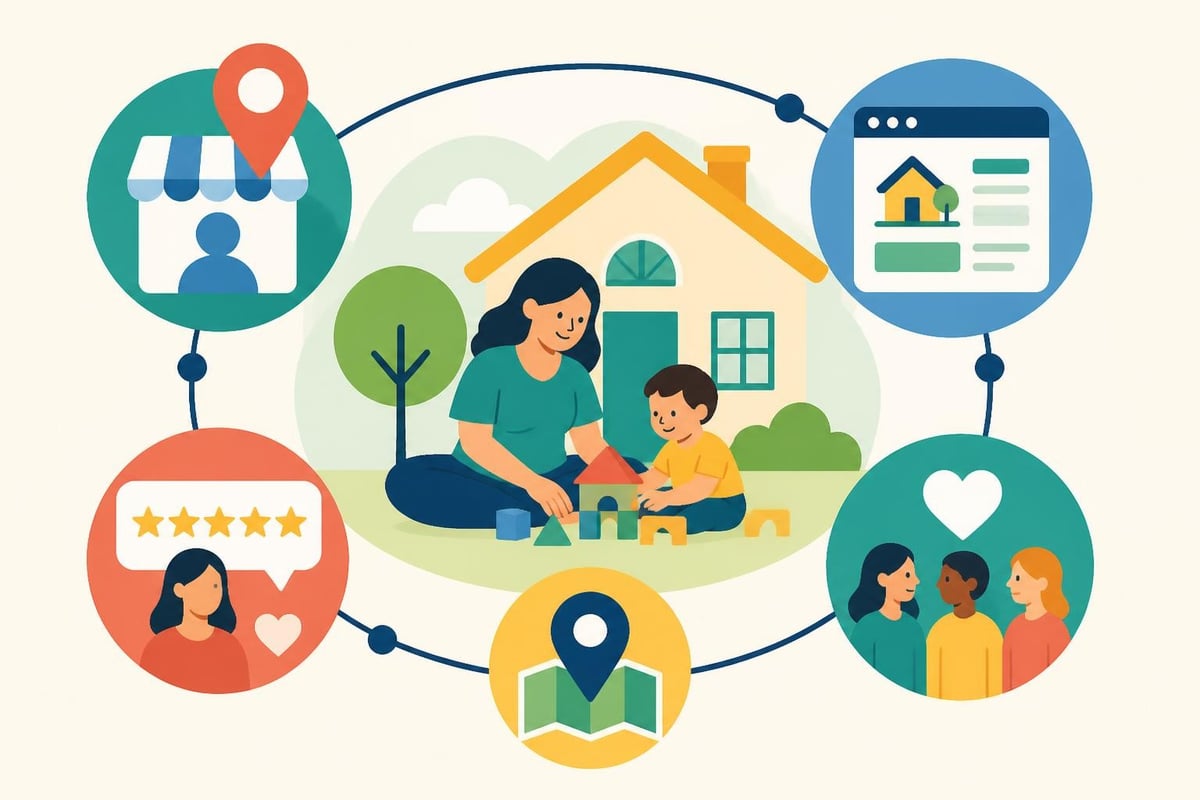
When families search for childcare, they use location-specific terms. Your early education website must be optimized for local search visibility to ensure you appear when nearby parents need your services. This means incorporating geographic keywords naturally throughout your content while maintaining readability and value.
Technical SEO Fundamentals
Beyond content, technical elements determine how well search engines understand and rank your site. Implement structured data markup that tells Google you're a childcare provider, including your address, hours, and service area. Create location-specific pages if you serve multiple neighborhoods, each with unique content about serving that community.
Education website design best practices emphasize mobile responsiveness as critical for local search. Google prioritizes mobile-friendly sites in search results, and 80% of local searches happen on smartphones. Test your site on multiple devices to ensure forms work correctly, images load quickly, and text remains readable without zooming.
Your site structure should be logical and shallow, meaning visitors can reach any page within three clicks from the homepage. Create a clear hierarchy with your main navigation covering broad categories and footer links providing access to supporting pages. This organization benefits both human visitors and search engine crawlers attempting to understand your content.
Creating Content That Educates and Converts
Beyond basic information pages, your early education website should feature valuable content that positions you as an expert in child development. A blog section allows you to share insights on developmental milestones, activity ideas for home, and parenting tips that demonstrate your knowledge while providing search engines with fresh content to index.
Blog post topics that attract and engage your target audience:
- Monthly developmental milestone guides for different age groups
- Seasonal activity ideas families can try at home
- Nutrition tips for picky eaters with recipe suggestions
- Behavior management strategies that align with your philosophy
- Transition guides for moving from home care to preschool
Link to relevant internal pages naturally within blog content. For example, when discussing infant education approaches, link to your infant program page. This internal linking helps search engines understand your site structure while guiding readers to conversion points.
Sharing your blog content regularly keeps families engaged even after enrollment. Many providers find that parents appreciate educational content that helps them support learning at home, strengthening the provider-family partnership.
Showcasing Social Proof and Testimonials
Parent reviews heavily influence childcare decisions. Your early education website should prominently feature testimonials that speak to specific concerns families have when choosing care. Rather than generic praise, seek detailed reviews that mention what you do differently, how you communicate with families, or how their child has grown under your care.
Format testimonials strategically throughout your site rather than isolating them on a single page. Include a rotating testimonial on your homepage, embed relevant quotes within program descriptions, and create a dedicated reviews page for visitors who want to read all feedback. Consider including:
- Parent names and relationships to build authenticity
- Children's ages (first names optional based on privacy preferences)
- Specific examples of positive experiences or outcomes
- How long families have been enrolled with you
- What convinced them to choose your program originally
Your parent reviews page serves as powerful social proof. Encourage satisfied families to leave detailed feedback, and make the review process simple by providing a direct link or form. Some providers incentivize reviews with small gifts or tuition credits while maintaining authenticity.
Consider incorporating video testimonials where parents speak directly about their experience. These carry even more weight than written reviews because viewers see genuine emotion and hear authentic voices. A two-minute video of a parent describing how you supported their child through a challenging transition can be more persuasive than paragraphs of text.
Streamlining Enrollment and Inquiry Management
Your early education website should make the path from interest to enrollment as frictionless as possible. Every page should include clear calls-to-action that guide visitors toward the next step, whether that's scheduling a tour, downloading your parent handbook, or submitting an inquiry form.
Contact Form Best Practices
Design inquiry forms that collect essential information without overwhelming prospects. Ask for parent name, child's name and age, contact phone and email, preferred start date, and how they heard about you. Optional fields can capture care needs like hours required or specific program interest.
| Form Element | Purpose | Best Practice |
|---|---|---|
| Name fields | Personalization | Separate fields for parent and child |
| Contact info | Follow-up | Require both email and phone |
| Child age/DOB | Availability matching | Dropdown or date picker |
| Start date | Urgency assessment | Calendar selector with "flexible" option |
| Message box | Context gathering | Optional but encouraged |
| Consent checkbox | Legal compliance | Required for communications |
Set up automated responses that confirm receipt of inquiries and set expectations for your response timeline. Many families contact multiple providers simultaneously, so responding within 24 hours significantly improves conversion rates. Include your phone number in the auto-response for families who prefer immediate connection.
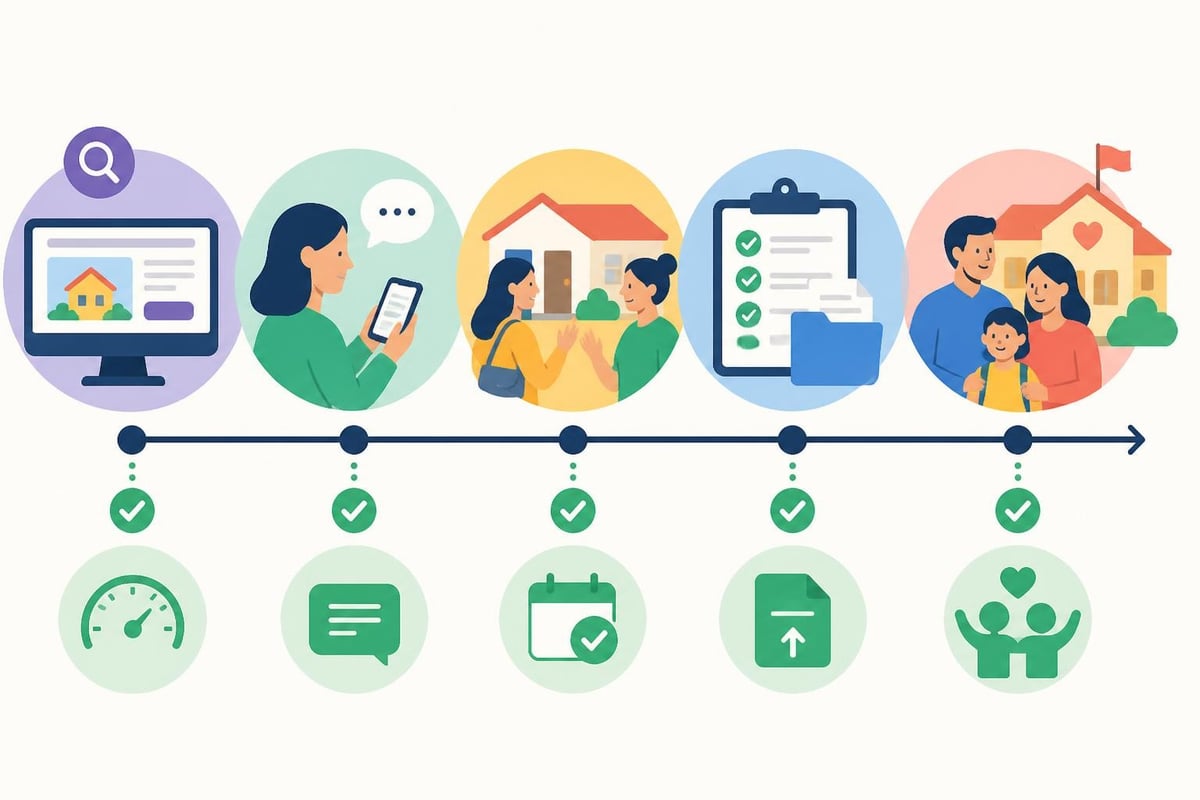
Make your contact information visible on every page, typically in the header and footer. Include your phone number prominently for parents who prefer calling directly. A "Contact Us" button in a contrasting color that stands out from your color scheme improves click-through rates by 37% compared to text links.
Consider offering multiple contact methods to accommodate different communication preferences. Some parents prefer email, while others want to text or call. A dedicated contact page should present all options clearly with expected response times for each channel.
Integrating Technology Thoughtfully
While your early education website serves as a marketing and information tool, many providers wonder about incorporating interactive elements or learning games. The key is ensuring any technology serves a clear purpose without overwhelming the user experience. Guidance on using technology in early education settings emphasizes intentional use that supports rather than replaces human interaction.
For your website specifically, consider these functional technology additions:
- Virtual tour functionality allowing 360-degree views of your spaces
- Calendar integration showing available tour times with online scheduling
- Secure parent portal login for enrolled families to access daily reports
- Live chat feature for immediate question answering during business hours
- Email newsletter signup to nurture relationships with prospective families
Avoid technology for its own sake. An early education website doesn't need autoplay videos, animated mascots, or complex navigation schemes. Parents visiting your site want straightforward information presented clearly. Designing effective websites for educational settings requires balancing visual appeal with functional simplicity.
Designing for Your Youngest Audience
While parents make enrollment decisions, children increasingly participate in choosing their childcare settings, especially for older toddlers and preschoolers. Your early education website can include subtle elements that appeal to young eyes without compromising the professional information parents need.
Child-friendly design elements that don't undermine credibility:
- Bright, cheerful color schemes that reflect your learning environment
- Large, clear fonts that emerging readers can recognize
- Simple icons representing different program areas or activities
- Strategic use of whitespace that prevents visual overwhelm
- Age-appropriate imagery showing children engaged and happy
Web design considerations for children suggest using primary colors and clear visual hierarchies. However, remember that parents are your decision-makers. Balance playful elements with the professional polish that reassures adults their children will receive quality care.
Maintaining Compliance and Professional Standards
Your early education website must reflect current licensing standards and professional expectations. Include your license number prominently, typically in the footer of every page. Link to your licensing agency's website to demonstrate transparency and allow parents to verify your standing.
Address health and safety protocols clearly, particularly in 2026's continued emphasis on illness prevention. Explain your sick child policies, sanitization practices, and emergency procedures. This information builds confidence while managing expectations about when children need to stay home.
Privacy policies have become non-negotiable for any website collecting personal information. Create a clear privacy statement explaining how you collect, use, and protect family data. For home-based providers using your website to collect enrollment information, include language about FERPA compliance and your commitment to confidentiality.
Accessibility Considerations
Ensuring your early education website is accessible to families with disabilities isn't just ethical; it's often legally required. Implement alt text for all images describing content for screen readers. Use sufficient color contrast between text and backgrounds to assist visitors with visual impairments. Ensure your site can be navigated entirely by keyboard for users who cannot use a mouse.
Consider offering content in multiple languages if you serve a diverse community. Even basic translations of your homepage, programs page, and contact form can make families feel welcomed and understood. Many website platforms now offer automatic translation features that provide adequate communication for initial inquiries.
Measuring Success and Continuous Improvement
Once your early education website launches, tracking performance helps you understand what's working and what needs adjustment. Install analytics tools that show how visitors find your site, which pages they view longest, and where they exit without converting. This data reveals opportunities for improvement.
Key metrics home childcare providers should monitor:
- Total monthly visitors and page views
- Traffic sources showing how people discover your site
- Time on page for critical content like programs and enrollment
- Form submission rates and inquiry quality
- Mobile versus desktop traffic percentages
- Geographic distribution of visitors to confirm local reach
Review these metrics quarterly to identify trends. If your about page has high exit rates, consider revising content to better address parent concerns. If mobile traffic is increasing but conversion is low, focus on mobile experience optimization. Practical SEO improvements for childcare websites often yield measurable enrollment increases.
Survey enrolled families about how they found you and what information was most helpful during their decision-making process. This feedback often reveals unexpected ways families use your website and content gaps you haven't considered. Many providers discover that certain pages or features they thought were critical go unused while unexpected content drives conversions.
Building Community Through Digital Channels
Your early education website can serve as the hub of a broader digital community that keeps families engaged before, during, and after enrollment. Link to your social media profiles where you share daily activity photos, parenting tips, and program updates. This multi-channel approach keeps your program top-of-mind for families not yet ready to enroll.
Email newsletters complement your website by pushing content directly to interested families. Collect email addresses through your site and send monthly updates featuring blog posts, upcoming events, and available openings. Segment your list between prospective and current families to customize messaging appropriately.
Consider creating private groups or communication channels for enrolled families, but maintain your public-facing website as the primary information source. Your services page should clearly explain what enrolled families receive regarding communication, updates, and partnership opportunities.
Your website represents your program to the world long before families step through your door. Investing in a professional, informative, and welcoming early education website pays dividends through increased inquiries, easier enrollment processes, and stronger family partnerships. As you develop your online presence, remember that authenticity matters more than perfection. Families want to see the real you and understand how you'll nurture their children through these critical early years.
Building an effective early education website requires balancing technical optimization with authentic storytelling that helps families feel confident in your care. By implementing clear navigation, showcasing your unique approach through visual content, and making enrollment straightforward, you create a digital experience that converts visitors into enrolled families. If you're searching for quality home childcare that combines professional excellence with the warmth of a family setting, Step by Step Care offers nurturing programs designed around your child's developmental needs, and we invite you to explore our approach to early learning.


